
When your client pays online, Mago manages everything for you. Once they use the payment link you send them, the record will be automatically updated to reflect whatever payment was made.
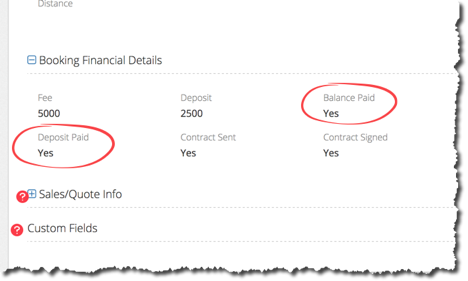
It will also enter a history item in the lead or gig with the details of the payment itself for you, no need for you to do anything.
When a client sends you a check or you receive payment through some other means, you will record that manually. You can do that using the alerts menu at the to left of the screen, editing the record directly, or using the payment portion of the dashboard.
Payments are color coded. Green indicates paid in full. Amber indicates a deposit has been made. Red indicates that no payment at all has been received.
In addition, when you manually enter a payment, it is suggested that you create a history item with some notes on the payment. You can record the check number, upload an image of the check, or put any other notes you may have in there.
Although the event will disappear from your upcoming gigs about a day after the event date has passed, Mago will continue to remind you in the alerts section if you have not received online payment, or recorded a payment manually.