Mago allows you to send email from multiple email addresses, not just the one you used when you signed up. This is useful if you offer a variety of services, each with different branding or if some client emails are sent from an assistant's email address.
Manual Email Compose
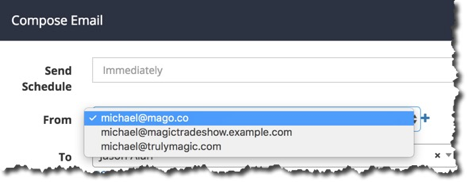
If you wish to change the "from" email address when manually composing an email, simply use the drop-down list next to "From"
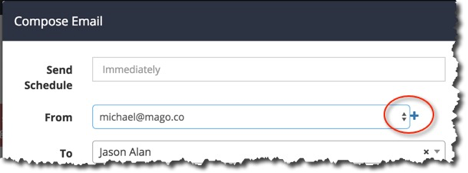
If the email address you wish to use isn't on the list, simply click the "+" icon to the right of the dropdown list to add an additional email.
Automation Emails
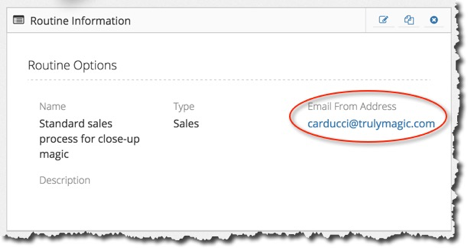
If you are using automation to send an email, the "From" address is defined for the automation routine itself.
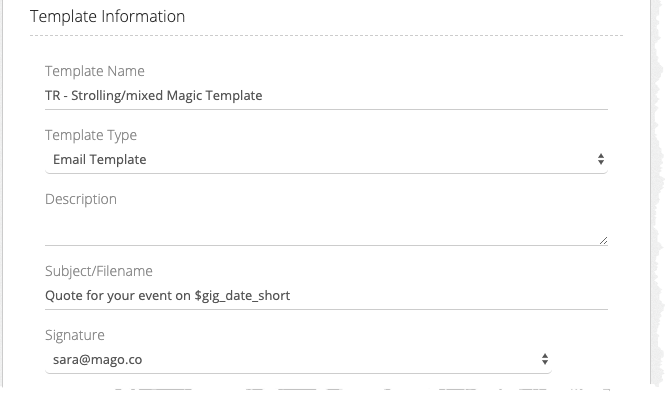
In an automated routine, you can also select which signature gets used. It will default to the signature that is associated with your default email address, but if you would like to select a different signature, use the signature picker right above the text editor. Note that this does NOT change which email address the email will be sent from. That is selected in the routine itself, as explained above.