
If you would like to edit the drop down menus in your records, you can edit or delete the items that appear there.
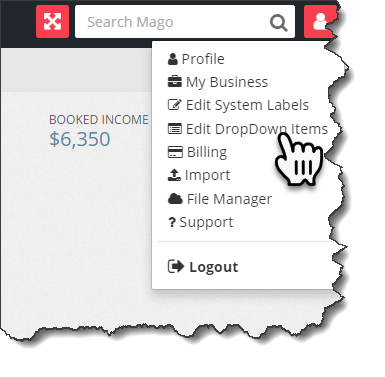
From your dashboard, click the icon in the upper right corner and select "Edit DropDown Items"
From there, you can select which drop down menu you wish to change, and either edit or delete the item. If you would like to add one, click the plus sign.