
From time to time, you might want to make a slight variation of an email template while still retaining the original version.
The easiest way to do this is to duplicate an existing email template and make your changes to the duplicate. This process leaves you with 2 different versions of the template without you having to create the second one from scratch.
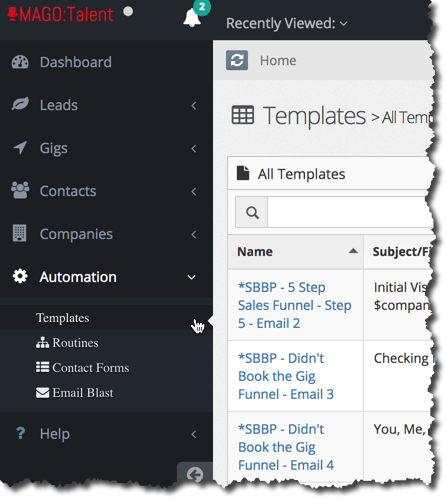
Start by selecting an email template:
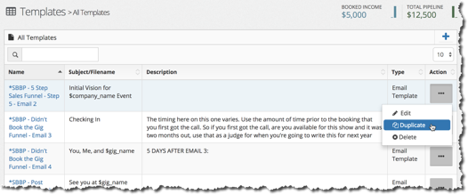
Once you’ve found the template you wish to duplicate, click on the action menu on the right and select "duplicate."
This will generate the new template. You’ll notice right away that in the “Template name” field, it is called “Copy of….<original template name>. You can change the name to reflect the changes you’re going to make to it.
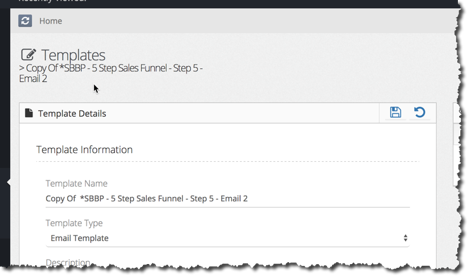
Proceed to make whatever changes you would like to get the template the way you want it.
Once you’re done, don’t forget to click "save" and you're ready to go.